Description
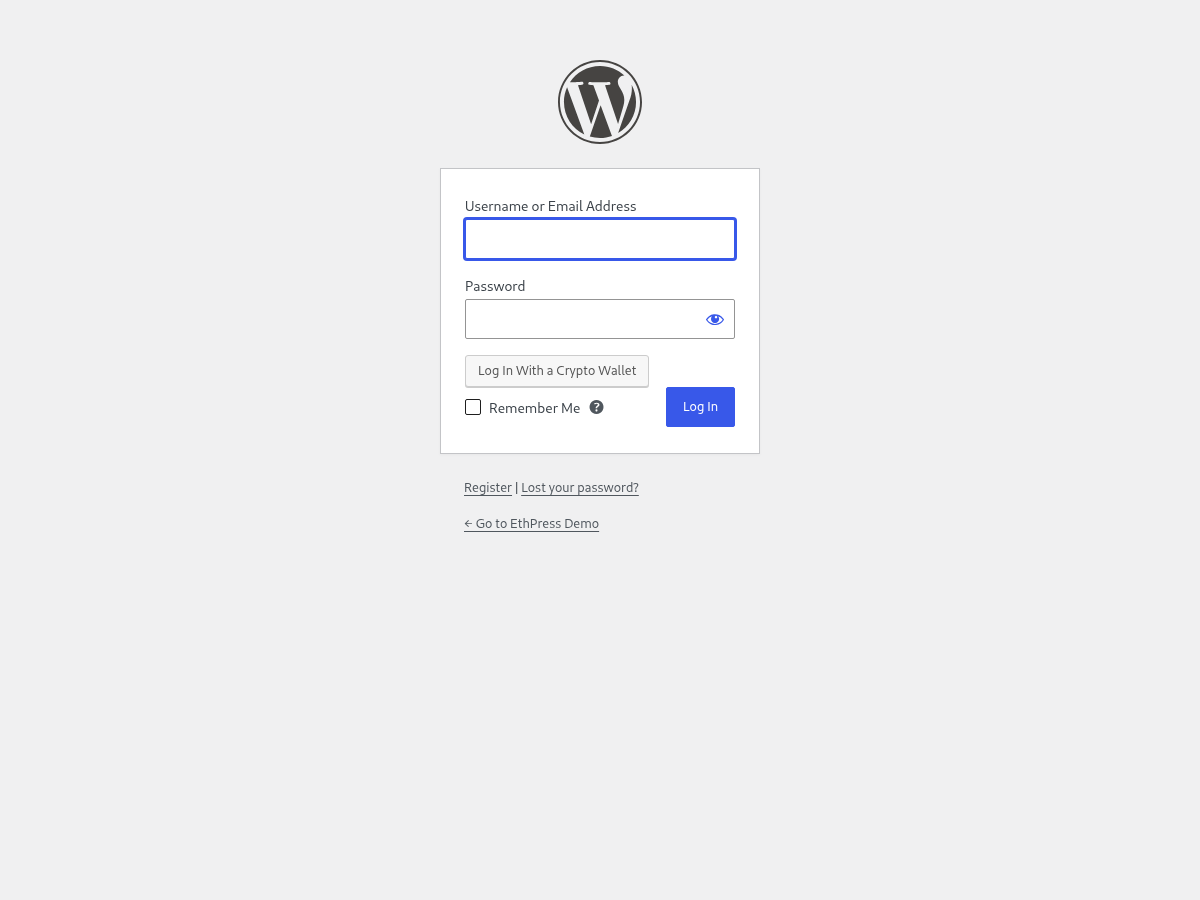
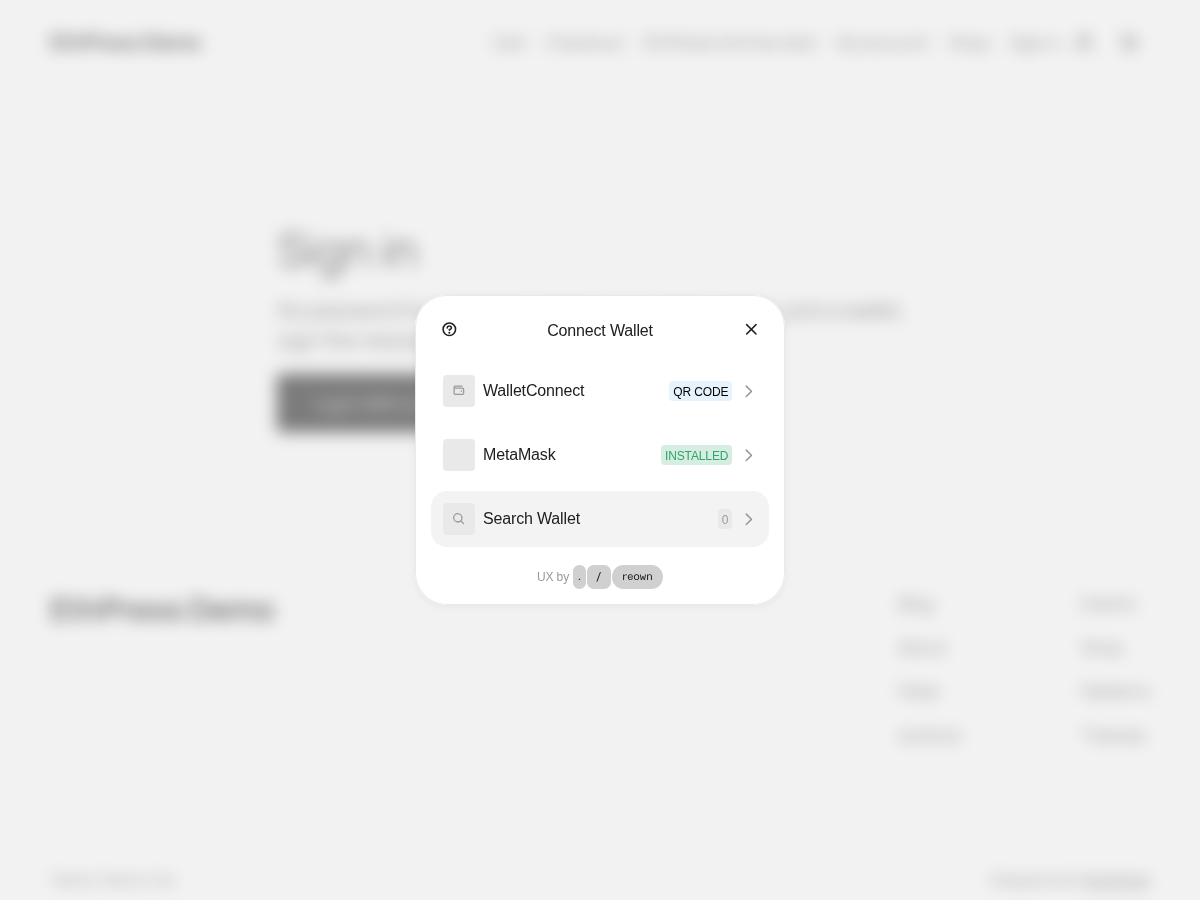
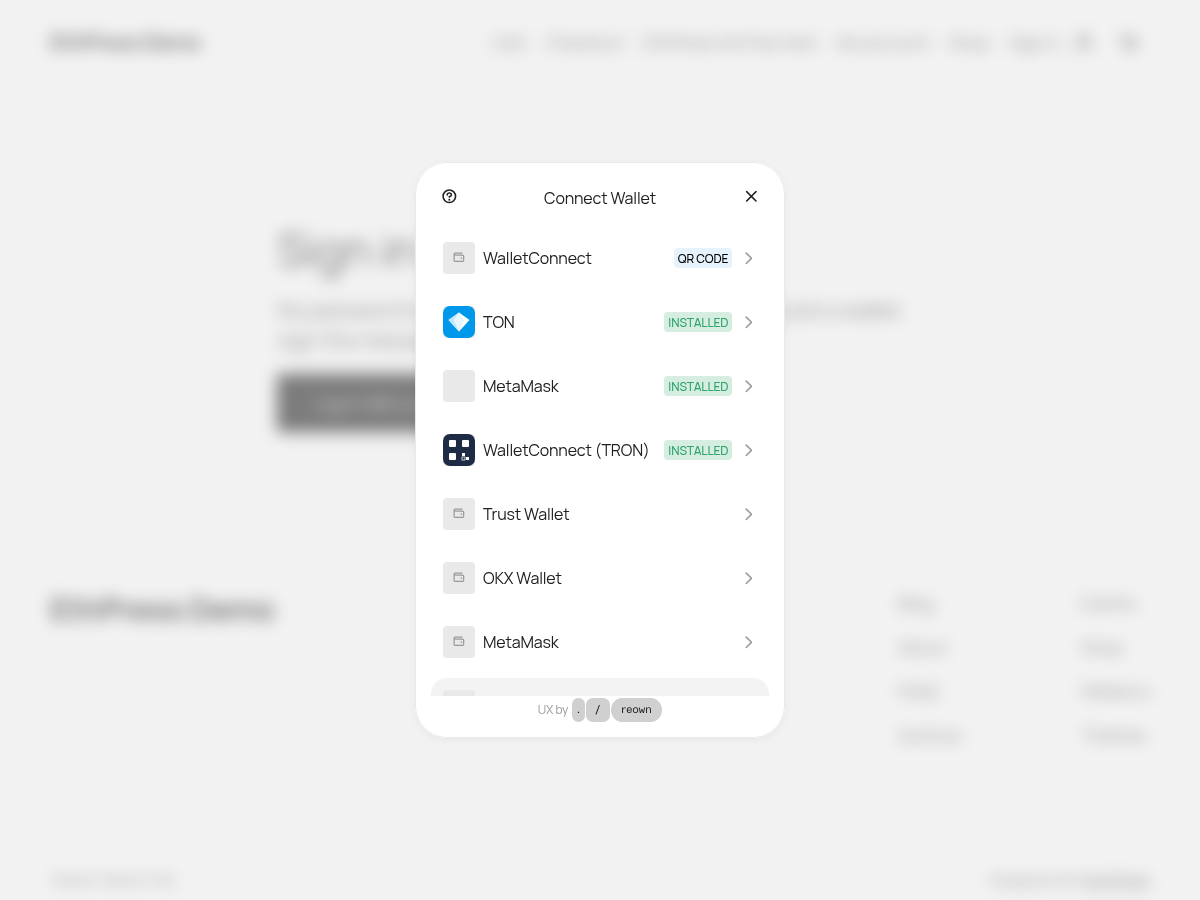
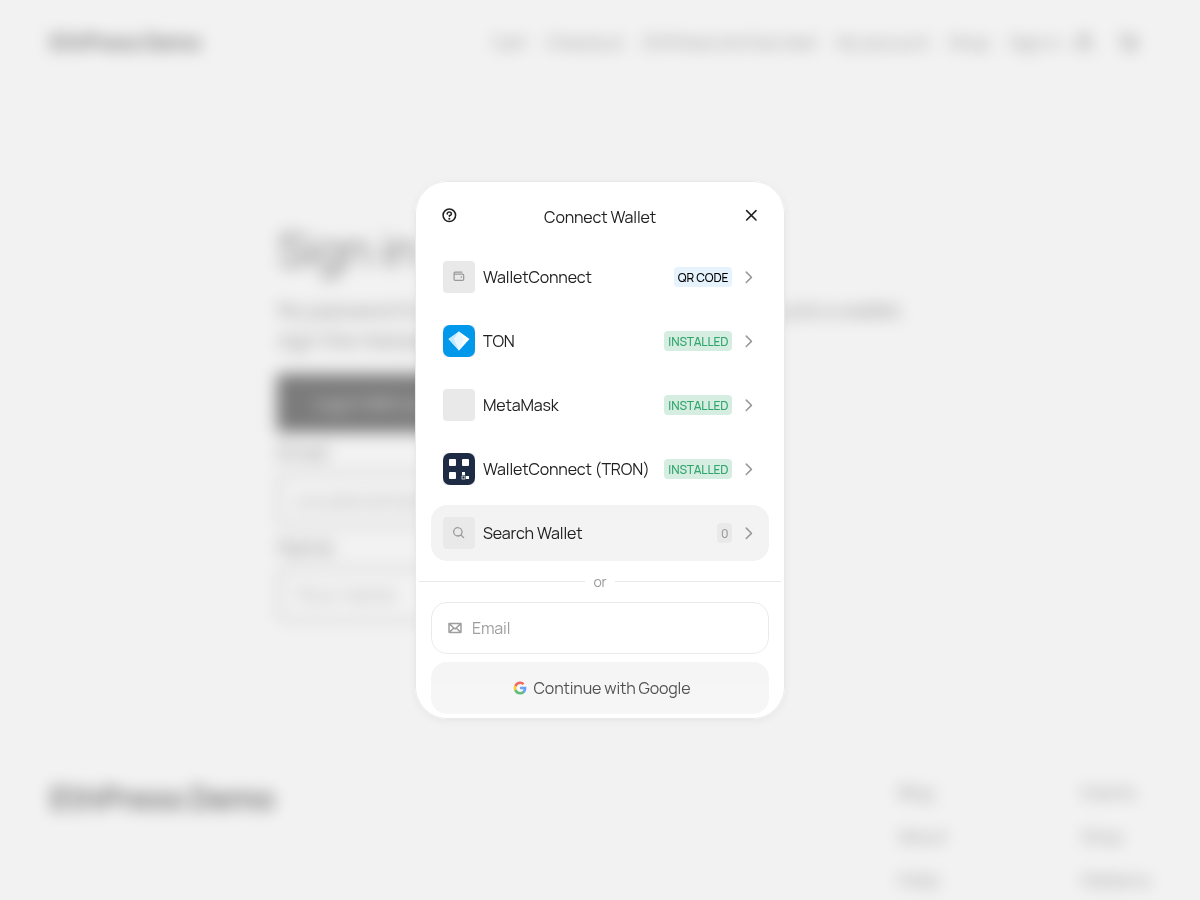
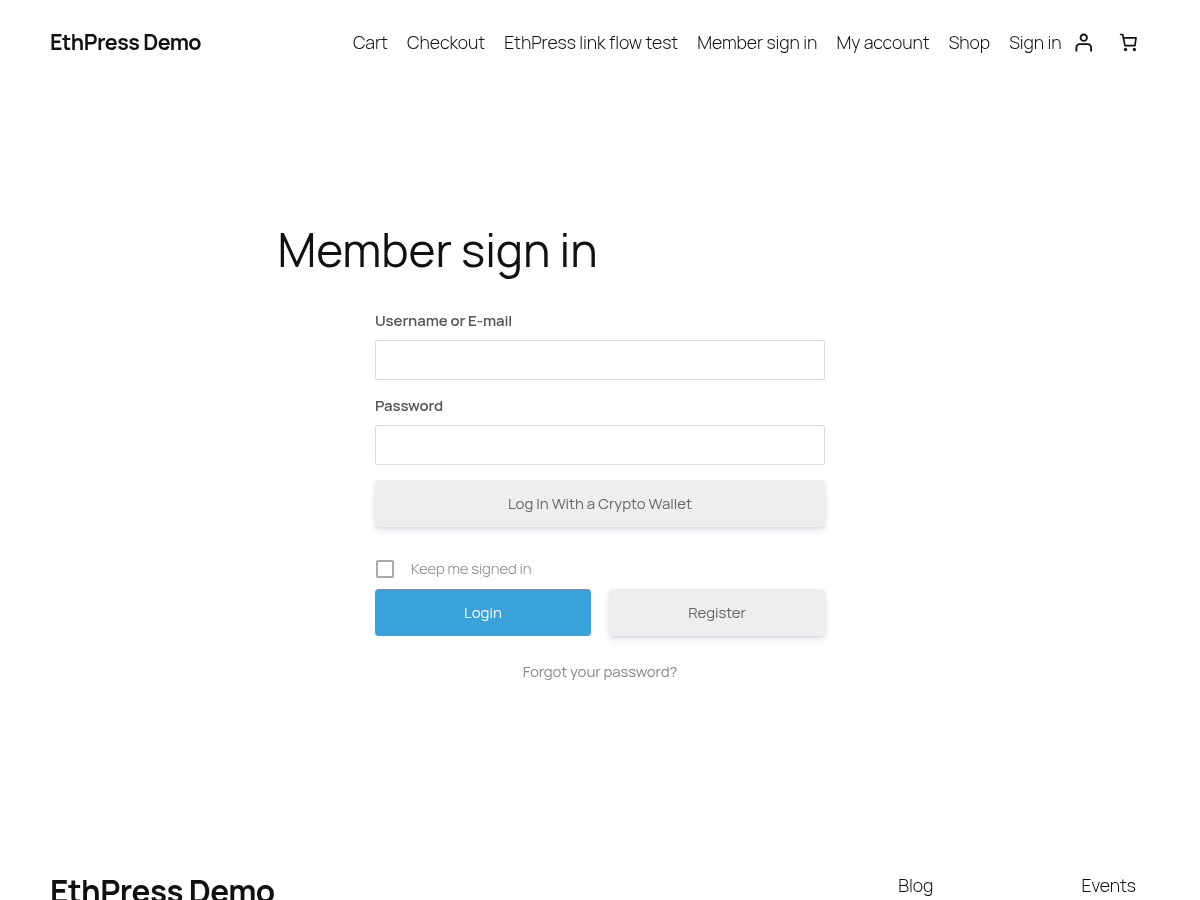
The EthPress Web3 Login WordPress Plugin adds a capability to connect with cryptocurrency wallets such as MetaMask for Ethereum, Binance Smart Chain (BSC), Polygon (MATIC) or any other EVM-compatible blockchain, and wallets that support WalletConnect QR code. Adds a button to WordPress login screen that will let users securely log in with their crypto wallet.
Click here to purchase the EthPress plugin with a credit card:
Or just install the free EthPress Web3 Login WordPress Plugin plugin first, and then purchase the Professional plan subscription directly from plugin settings menu. Free 7 days Trial is available!
Version 3.2.2 hands the look of the wallet button over to the page’s theme: the button, the profile fields it shows inline and the Terms checkbox are drawn the way the theme draws them, the plugin no longer injects a page-wide CSS reset, and the new ethpress_button_surface filter lets an integration name its own surface. Version 3.2.1 fixed the wallet button inside the Ultimate Member and WooCommerce forms: it was drawn inside a second button and it did not look like the form it stood in. Version 3.2.0 added the login paths the plugin was missing: an account that is a contract can log in now, Bitcoin wallets that sign in the BIP-322 full form work at last, VeChain joins the supported networks, and Email and social login are back in the Professional edition.
What’s new in 3.2.2
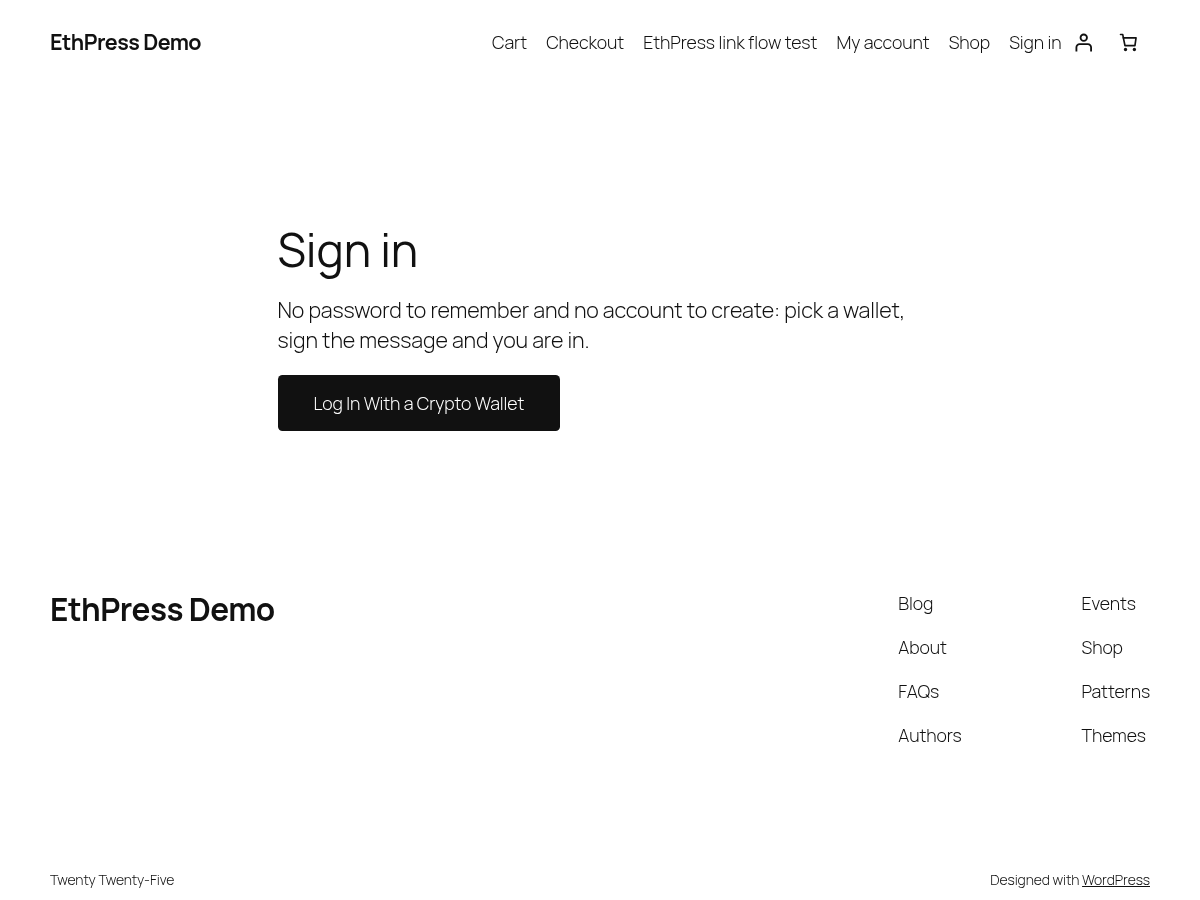
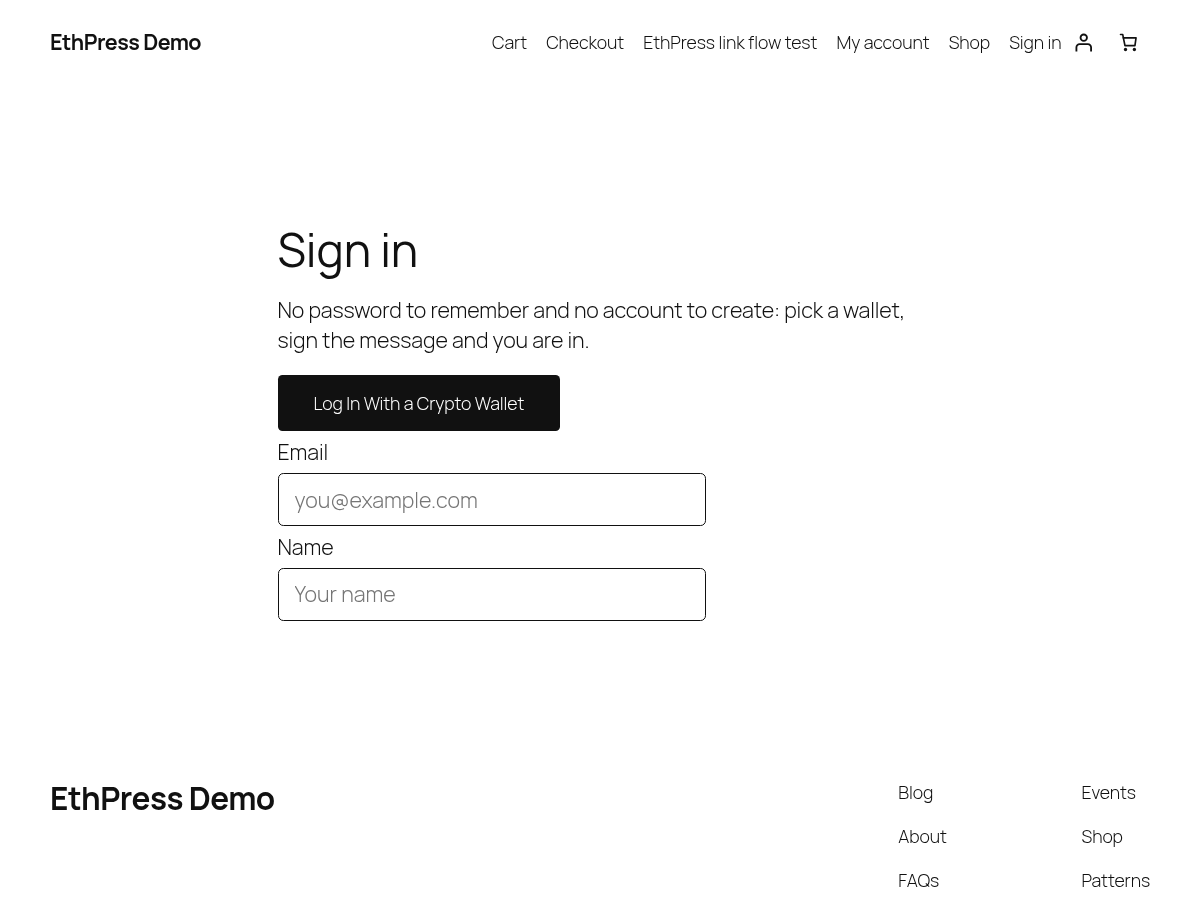
- The wallet login button, the profile fields it shows inline and the Terms checkbox take their look from the page’s theme instead of being drawn like a WordPress admin control: on an ordinary page the button is drawn the way the theme draws its own buttons – its font, its colours, its border and radius – and the email, name and Terms controls next to it inherit the theme’s font and spacing. A theme that styles no buttons of its own gets a plain outlined button in the current text colour
- The plugin no longer injects a page-wide CSS reset into a page that shows the button: the page keeps its own body font, its own link underlines and its own element margins and spacing, instead of being flattened to the plugin’s Arial body and collapsed paragraph rhythm
- The new
ethpress_button_surfacefilter lets a site say itself which surface the button is rendered on, so an integration the plugin does not know can name its own host instead of relying on the surface the plugin detected - The WordPress login screen keeps its admin-style button, and the WooCommerce and Ultimate Member forms keep the look of the plugin whose form they stand in – only a page that has a theme of its own changes
What’s new in 3.2.1
- Fixed the wallet button inside an Ultimate Member form: it was drawn inside a second button, and it did not look like the form it stood in. It now carries Ultimate Member’s own secondary-button class – the one the form’s Register button is drawn with – and the button the plugin mounts inside it no longer paints a frame of its own
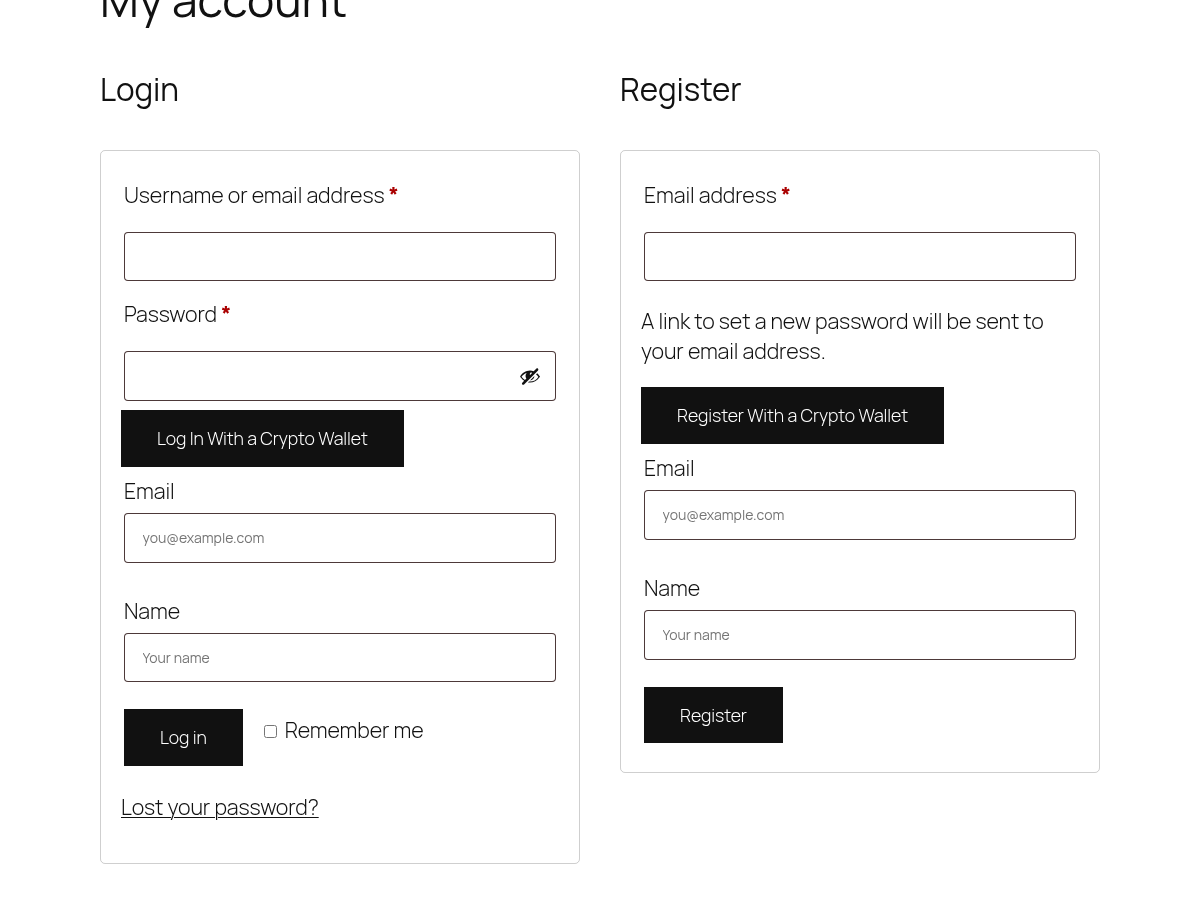
- Fixed the wallet button inside a WooCommerce form: it is drawn by the theme now, like the form’s own Log In and Register buttons, instead of a small grey admin-style button. The login, registration, checkout-registration and account-details screens are all covered
What’s new in 3.2.0
- Smart account login (PRO): an account that is a contract – Safe, Argent, a wallet embedded by a provider – logs in by answering ERC-1271, and an account that is not deployed yet by ERC-6492. The check asks the chain through a JSON-RPC endpoint (
ethpress_evm_rpc_url), so that endpoint must be reachable and trusted; ordinary wallets are not affected by that requirement - Email and social login are back in the Professional edition: the wallet modal offers the Email and Continue with Google rows again, and the Professional edition verifies the embedded wallet with ERC-1271/ERC-6492. The Free edition keeps both rows hidden, because that verification is Professional and a row offered there could only end in a failed login
- Linking a second wallet no longer renames the account: the user name stays the address of the first wallet, so the other sessions of the account (another browser, a phone) stay logged in. The display name and the profile slug still follow the newest wallet; an account renamed by an earlier version keeps its current user name – nothing depends on it
- Bitcoin (PRO): wallets that sign the BIP-322 full variant, or a DER signature accompanied by their public key, now log in. That is how a Wallet Standard wallet signs, and it used to end in “Bad signature.” after the visitor had approved the prompt
- The Supported networks setting now offers VeChain (PRO): a VeChain address is derived the same way an Ethereum address is, so the existing EVM check verifies the login. Only wallets that sign an EIP-191 personal_sign message are covered – VeChain’s own Certificate signature is not supported yet
Previous release – 3.1.0: the login became a multichain one. Besides the EVM chains a visitor can log in with a Solana, TRON, Bitcoin or TON wallet, every chain chosen in the same wallet modal, and one account can carry several wallets.
Features – EthPress Web3 Login WordPress Plugin
- A web3 login button is added to your login screen automatically
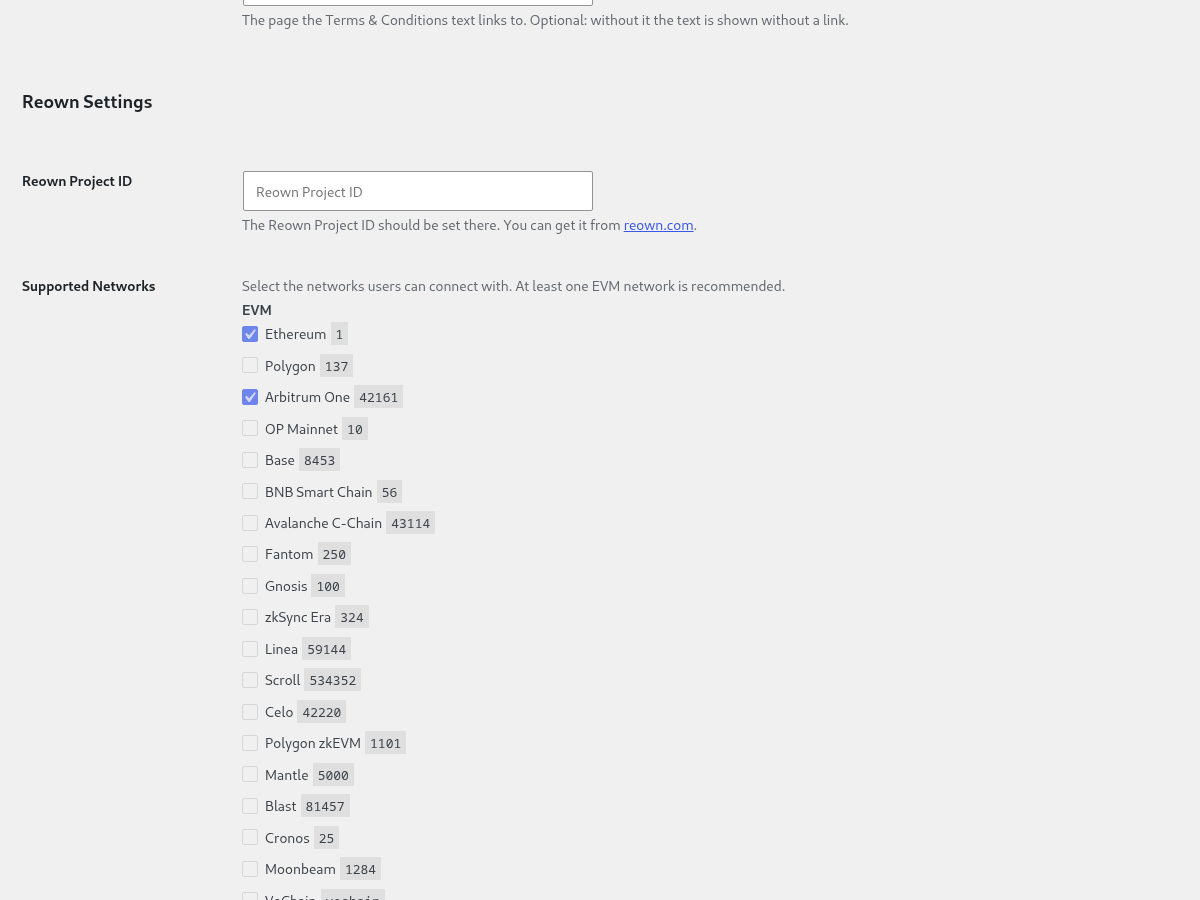
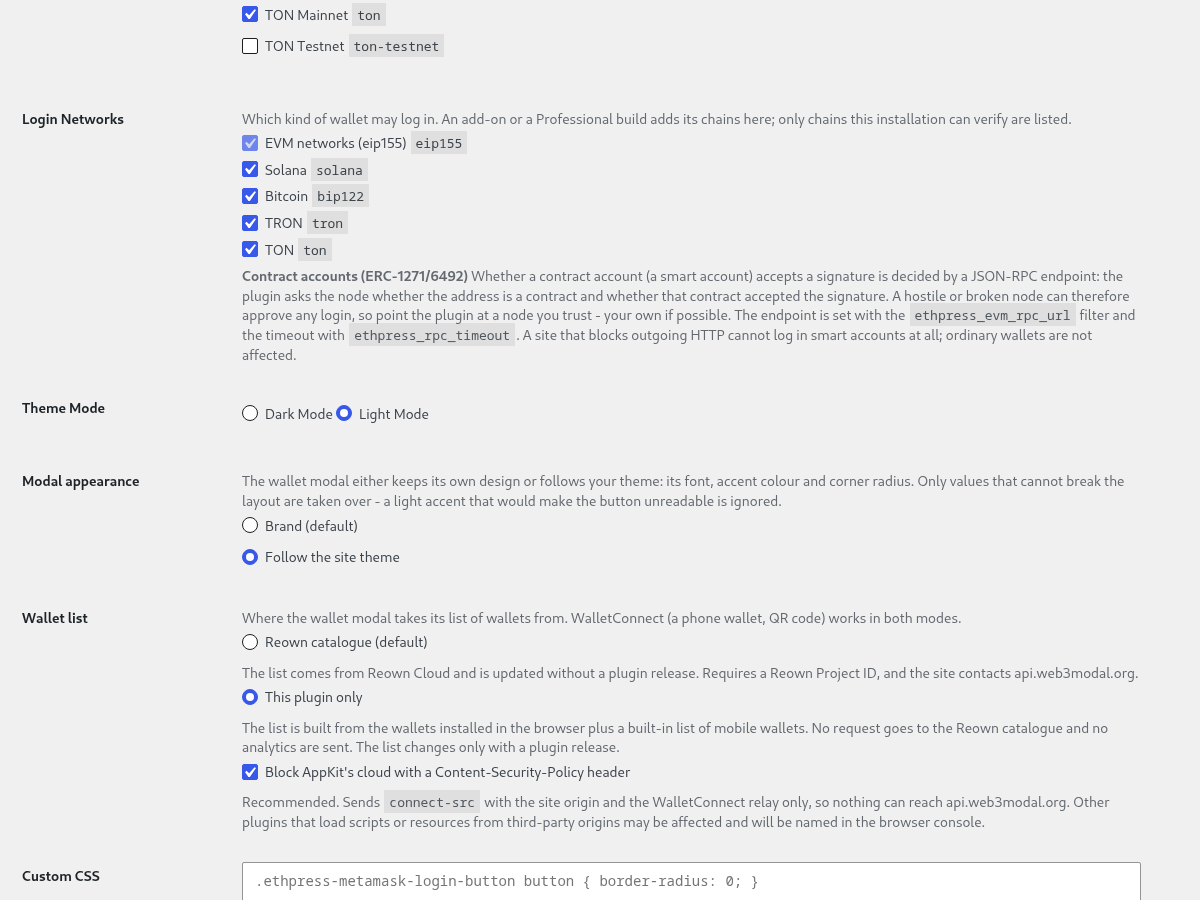
- The Reown Settings section holds your own Reown Project ID (from dashboard.reown.com) and the wallet modal Theme Mode (Dark Mode or Light Mode)
- The Hide on the WordPress login page setting can hide the wallet login and register buttons on wp-login.php, while buttons added with the shortcodes or the widget keep working
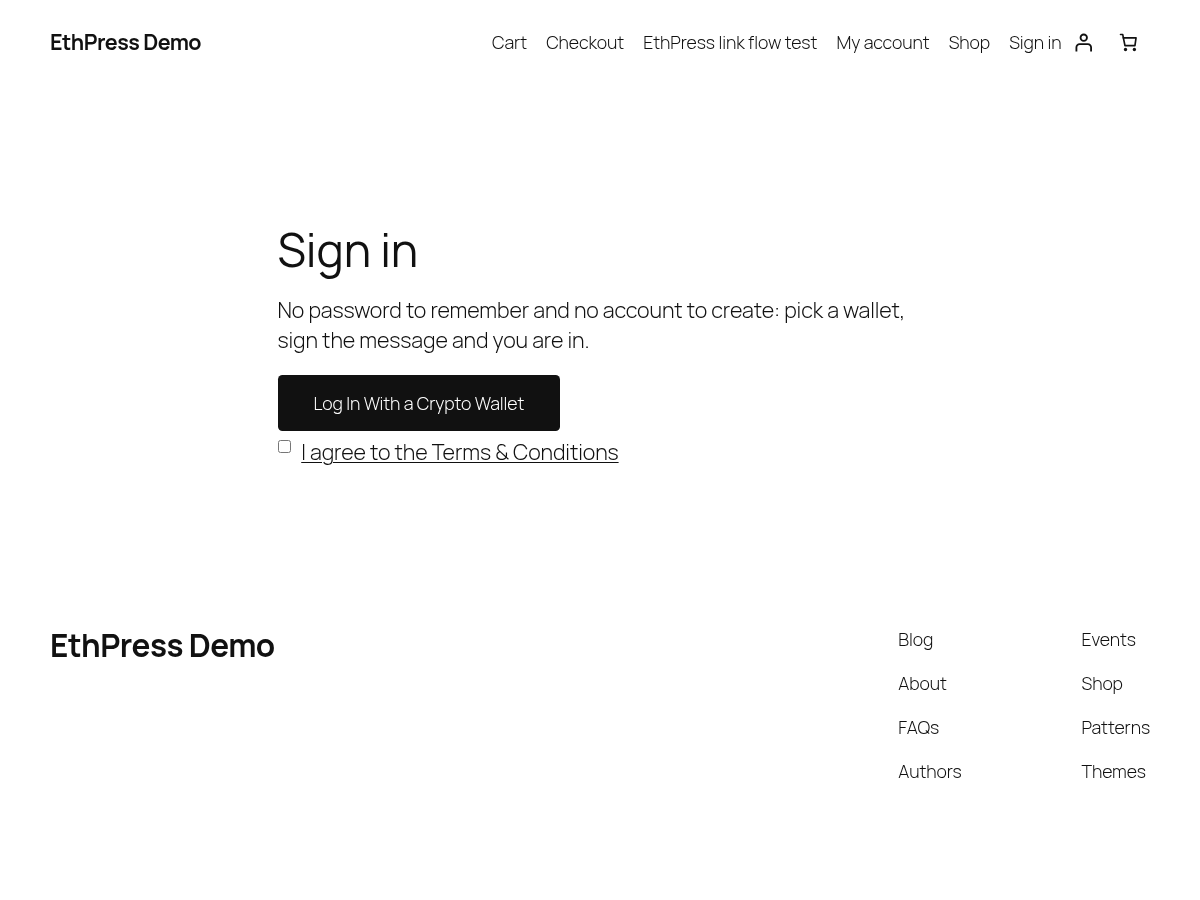
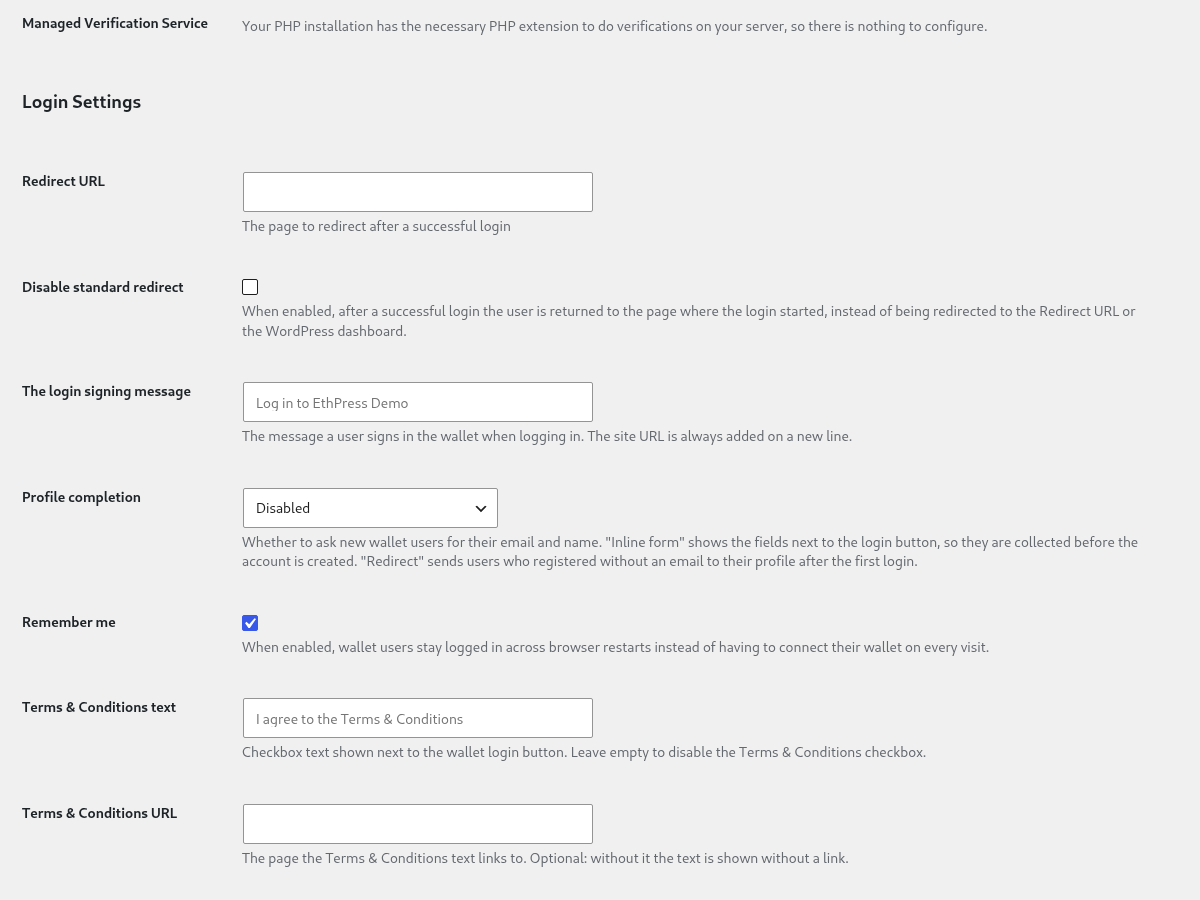
- The Terms & Conditions settings (in Login Settings) show a required “I agree to the Terms & Conditions” checkbox next to the wallet login button. The text can link to a Terms & Conditions page URL
- A wallet without an account gets a message explaining why: the site does not accept registrations (the Anyone can register setting) and the visitor should contact the site administrator. The wording is filterable with ethpress_registration_closed_message and ethpress_unregistered_message
- Use the EthPress widget for maximum ease
- A shortcode [ethpress_login_button] can be used to display the Login button anywhere
- A shortcode [ethpress_link_button] can be used to display the Link accounts button anywhere. The new account linked address will be put in all HTML elements with the eth-address-field class present.
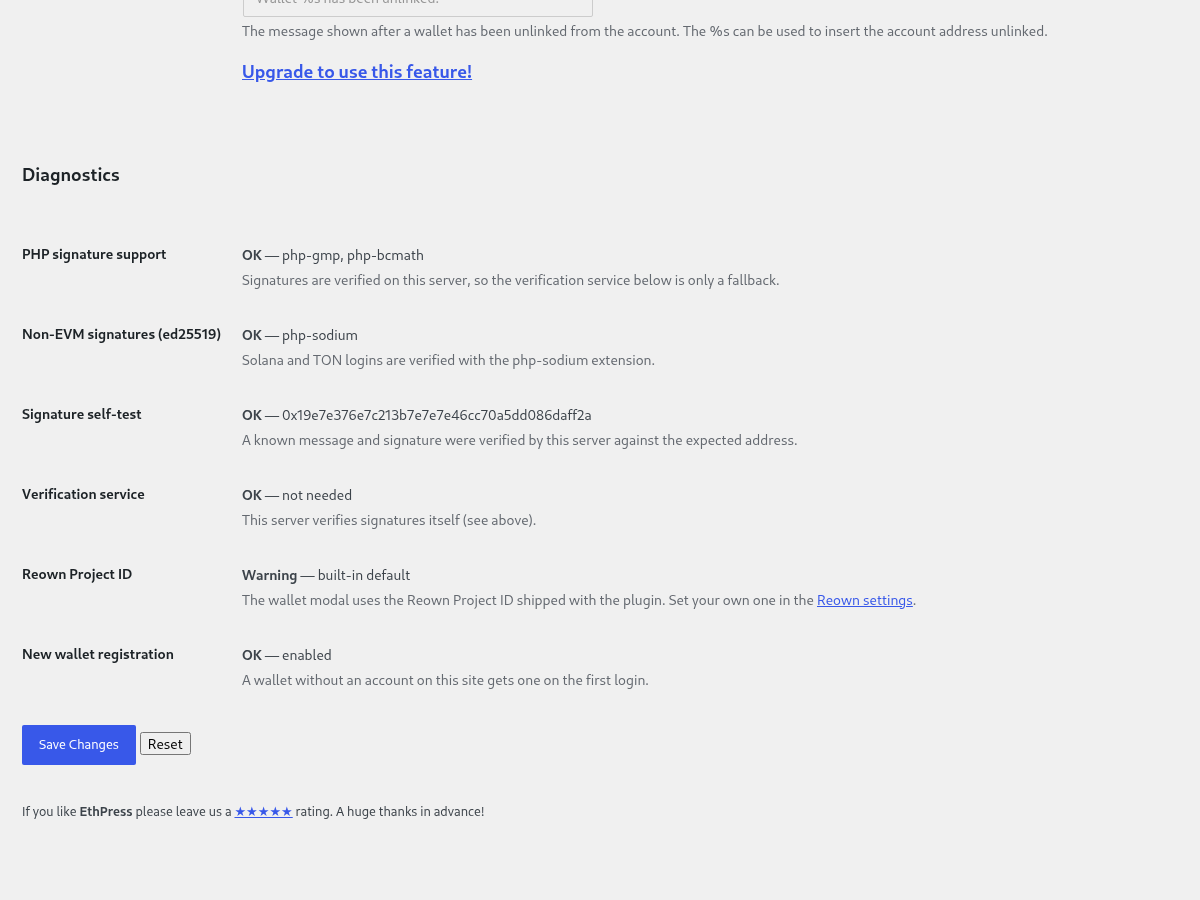
- Local signature verification with the php-gmp/php-bcmath extensions, or by a verification service you can host yourself. The Diagnostics section of the plugin settings tells you which of the two is in use
- The Diagnostics section of the plugin settings reports what a wallet login depends on: the PHP signature support (php-gmp/php-bcmath) of your server, a signature self-test that runs through whichever path the logins actually take (this server or the verification service), the verification service that would be used instead, whether your own Reown Project ID is set, and whether new wallets can still register
The price on this page is lower than the in-plugin upgrade: the checkout button above shows the current price and the discount.
Professional features
The EthPress PRO version is required for these.
- Managed Verification Service.
- EthPress login button on a WooCommerce Login, Register and Checkout Forms.
- The [ethpress_account] short code can be used to display the current user’s address logged with.
- A shortcode [ethpress_unlink_button] can be used to display the Unlink wallet button anywhere. It removes the wallet association and disconnects the connected wallet. The account itself is kept, so signing in with the same wallet again links it back to that account instead of creating a second one (see the “What happens to the account when a wallet is unlinked?” question)
- The Login button label, Register button label, Link button label and Unlink button label settings can be changed in the plugin settings
- The The login signing message and The account link signing message settings can be used to change the message a user signs in the wallet when logging in or linking an account
- The The account link success message and The account unlink message settings can be used to change the messages shown after a wallet is linked or unlinked
- WooCommerce Account Details show Link Wallet button setting
- The Redirect URL setting can be used to set an URL of a page to redirect after a successful login
- The Disable standard redirect setting (in Login Settings) stops the automatic redirect to the WordPress dashboard or the configured Redirect URL after a successful login, returning the user to the page where the login started instead
- The Remember me setting (in Login Settings) controls whether wallet users stay logged in across browser restarts instead of having to connect their wallet on every visit. It is enabled by default and can be changed in PRO only
- The Profile completion setting (in Login Settings) collects the email and name of new wallet users. The Inline form next to the login button mode shows the fields with the button, so they are filled in before the account is created; the Redirect to the profile after login mode sends users who registered without an email address to their profile after the first login
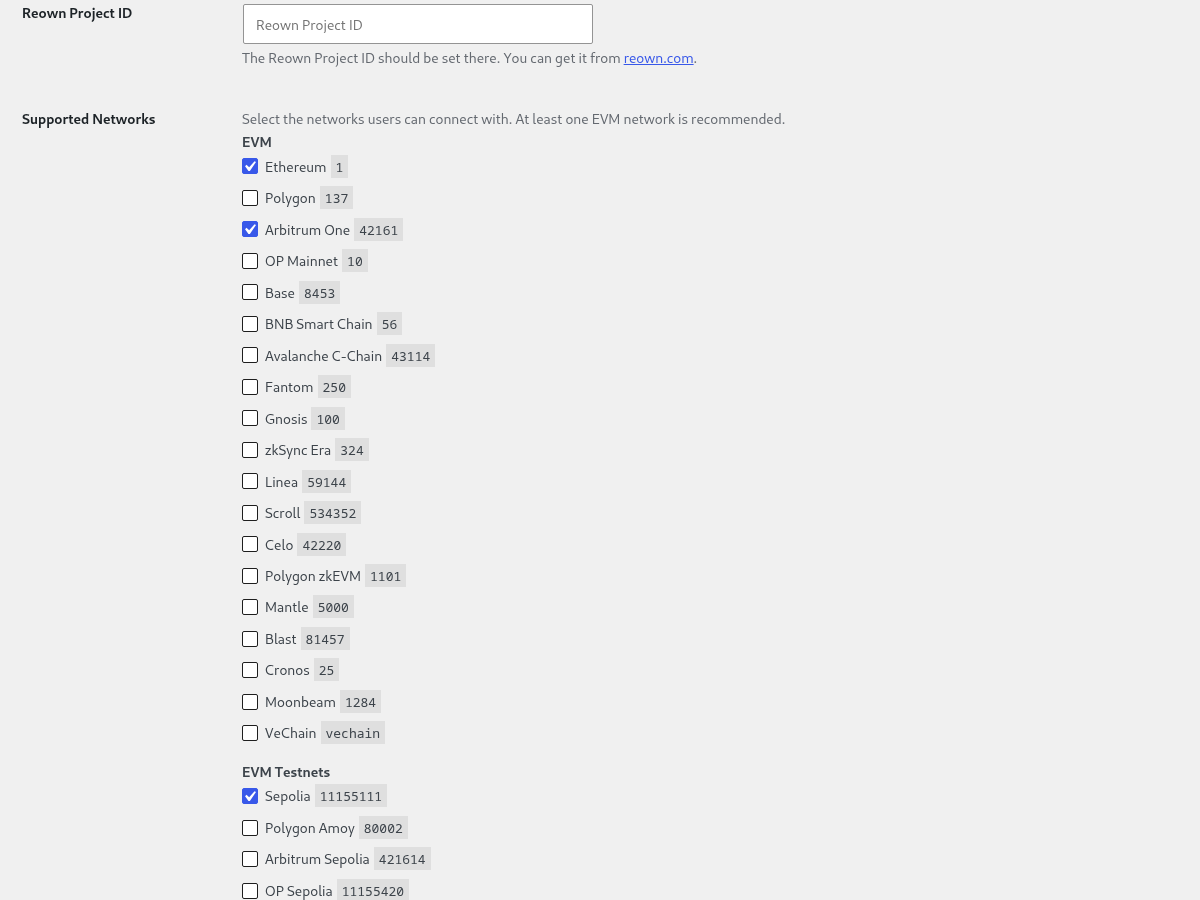
- The Supported networks setting (in Reown Settings) chooses which networks are offered to the user: the EVM chains and testnets, and – in PRO – the non-EVM ones (Solana, TRON, Bitcoin, TON). A network is only offered when this installation can verify its signatures
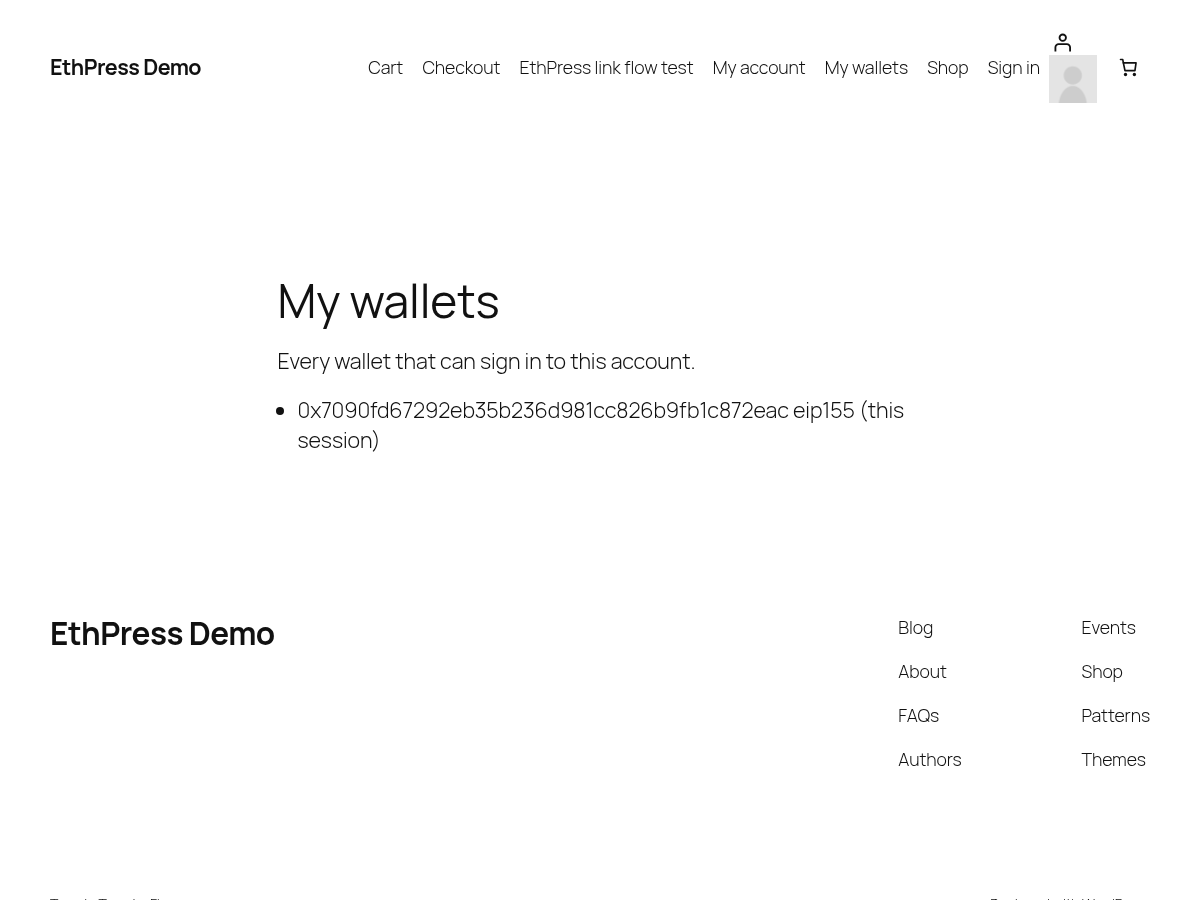
- An account can carry several wallets (PRO). A visitor logs in with any of them, and the [ethpress_wallets] shortcode lists them all; [ethpress_account] shows the wallet this session was opened with. Unlinking removes only the wallet it was clicked for, and it is never possible to attach somebody else’s wallet
- Non-EVM chains (PRO): Solana, TRON, Bitcoin (P2PKH, P2WPKH and taproot/BIP-322) and TON (ton_proof) wallets log in to the same WordPress account as an EVM wallet. Each chain’s signature is verified on your own server – the crypto stack is bundled, no external service is needed
- TON has a button of its own next to the login button: Log in with TON. The TonConnect SDK is what asks a TON wallet for a ton_proof, because AppKit does not request one on connect; the button appears only when TON is enabled in the settings and a TON wallet is installed
- The Custom CSS setting (in Reown Settings) can style the login buttons and the wallet modal, including the AppKit CSS variables such as –w3m-accent
- The noredirect and redirect_to attributes of the [ethpress_login_button] shortcode control the redirect per button.
[ethpress_login_button noredirect="1"]disables the standard redirect for that button, and redirect_to=”current” returns the user to the page where the login started. Any other value of redirect_to is used as an explicit redirect URL - The label attribute of the [ethpress_login_button], [ethpress_link_button] and [ethpress_unlink_button] shortcodes changes the button text for that button only, for example [ethpress_login_button label=”Sign in”]
- An
EthPress Buttonfield for the Ultimate Member plugin: it shows the wallet address of the current user and the wallet button inside Ultimate Member’s login, registration and profile forms (see the “Integrations” section) - Ultimate Member (Professional). EthPress adds a field of its own to Ultimate Member’s field registry – EthPress Button, a “Blockchain Address” field type saved as the eth_blockchain_address user meta – so it can be placed in any Ultimate Member form: login, registration or profile, in the form builder. Everywhere it is placed, the field renders the wallet address of the current user as a read-only input next to the wallet button. A visitor who is not signed in sees the button and an empty address; a signed-in wallet user sees the address of the wallet this session was opened with, and on the profile form the same field lets them link another wallet to the account. The field has two settings of its own in Ultimate Member’s field editor, Show EthPress button? and the button label, so a form can carry the address without the button or with a button text of its own. The integration belongs to the Professional build: in the Free version Ultimate Member keeps working as usual, the EthPress Button field is simply not in its field list
- WooCommerce (Professional). The wallet button is placed on three WooCommerce screens – the My Account login form, the register form (only when the site allows registration), and the “create an account” block at checkout – and the link button on a fourth, Account details, where a signed-in customer links another wallet to the account. Each of the four is a separate checkbox under WooCommerce Settings in the plugin settings, and while a box is unticked, or WooCommerce is not active, the matching hooks are not registered at all, so a site that does not use the integration runs no extra code. The email address and the name the customer typed into WooCommerce are handed to the account a wallet login creates (ethpress_register_user_email and ethpress_register_user_name), so a wallet registration made at checkout keeps the billing details instead of falling back to the placeholder email derived from the wallet address
EthPress NFT Access Add-On
- Site wide NFT verification requirement to register or login
- Restrict access to a Page to some NFT token owners only
- Restrict access to a Post to some NFT token owners only
- Restrict access to a WooCommerce Product to some NFT token owners only
- Shortcode to display your access level:
[ethpress_nft_access_addon_nft product_id="1337"] - ERC721 and ERC1155 non-fungible token standards are supported
- LearnPress LMS courses access can be granted with NFT token
- Tutor LMS courses access can be granted with NFT token
- Ethereum Wallet plugin generated accounts are also tested
- The ethpress_nft_access_get_user_accounts filter can be used to add wallets for testing:
Screenshots
Disclaimer
By using this plugin you accept all responsibility for handling the account balances for all your users.
Under no circumstances is ethereumico.io or any of its affiliates responsible for any damages incurred by the use of this plugin.
Every effort has been made to harden the security of this plugin, but its safe operation depends on your site being secure overall. You, the site administrator, must take all necessary precautions to secure your WordPress installation before you connect it to any live wallets.
You are strongly advised to take the following actions (at a minimum):
- Educate yourself about cold and hot cryptocurrency storage
- Obtain hardware wallet to store your coins
- Educate yourself about hardening WordPress security
- Install a security plugin such as Jetpack or any other security plugin
- Enable SSL on your site if you have not already done so.
By continuing to use any of the ethereumico.io plugins, you indicate that you have understood and agreed to this disclaimer.

Hooks
These hooks can be used to add your custom logic after user logged in or linked an account using the EthPress plugin functionality.
Free hooks
The login_redirect hook is a standard WordPress hook you can use to customize the page user should be redirected after login.
The EthPress PRO version has a feature to configure it on the plugin settings page. Free 7 days Trial is available!
/**
 * Fires after every login attempt.
 *
 * @param WP_User|WP_Error $user WP_User on success, WP_Error on failure.
 * @param (string|false) $provider One of 'metamask', 'reown', false.
 */
do_action( 'ethpress_login', $user, $provider );

/**
 * Fires after every user account linking success.
 *
 * @param WP_User|WP_Error $user WP_User on success, WP_Error on failure.
 * @param (string|false) $provider One of 'metamask', 'reown', false.
 */
do_action( 'ethpress_linked', $user, $provider );

/**
 * Filters the login redirect URL.
 *
 * @param string           $redirect_to           The redirect destination URL.
 * @param string           $requested_redirect_to The requested redirect destination URL passed as a parameter.
 * @param WP_User|WP_Error $user                  WP_User object if login was successful, WP_Error object otherwise.
 */
$redirect_to = apply_filters( 'login_redirect', $redirect_to, $requested_redirect_to, $user );

/**
 * For additional checks in addons
 *
 * @since 1.6.0
 *
 * @param \losnappas\Ethpress\Address $address.
 * @return \losnappas\Ethpress\Address|\WP_Error Return \WP_Error if address doesn't fulfill some condition.
 */
$address = apply_filters('ethpress_login_address', $address);

/**
 * For additional checks in addons
 *
 * @since 1.6.0
 *
 * @param string           $redirect_to           The redirect destination URL.
 * @param string           $requested_redirect_to The requested redirect destination URL passed as a parameter.
 * @param WP_User|WP_Error $user                  WP_User object if login was successful, WP_Error object otherwise.
 */
$redirect_to = apply_filters('ethpress_login_redirect', $redirect_to, $requested_redirect_to, $user);

/**
 * Filters the message a user signs in the wallet on login.
 *
 * The message needs to be the same when it is signed and when it is verified.
 * The nonce will be added on a new line after the filter runs.
 *
 * @since 0.1.0
 * @since 0.7.0 Has the wallet address as the 2nd argument: $coinbase.
 *
 * @param string $message  Message.
 * @param string $coinbase User's address.
 */
$message = apply_filters('ethpress_login_message', $message, $coinbase);

/**
 * Filters the email address used when registering a new wallet user.
 *
 * Return an empty string to fall back to the placeholder email derived from
 * the wallet address.
 *
 * @since 3.0.0
 *
 * @param string $email    Email address, empty when none was collected.
 * @param string $coinbase The wallet address being registered.
 */
$email = apply_filters('ethpress_register_user_email', $email, $coinbase);

/**
 * Filters the display name used when registering a new wallet user.
 *
 * The name is split into a first and a last name on the first space.
 *
 * @since 3.0.0
 *
 * @param string $name     Display name, empty when none was collected.
 * @param string $coinbase The wallet address being registered.
 */
$name = apply_filters('ethpress_register_user_name', $name, $coinbase);

/**
 * Filters the message shown when a wallet has no account on a site that does
 * not accept new registrations.
 *
 * The visitor reads this one, so it names the cause and what to ask the site
 * administrator for. The `Diagnostics` section of the settings page reports the
 * same setting.
 *
 * @since 3.0.0
 *
 * @param string $message  The message.
 * @param string $coinbase Wallet address, when known.
 */
$message = apply_filters('ethpress_registration_closed_message', $message, $coinbase);

/**
 * Filters the message shown when a wallet has no account while registrations are open.
 *
 * @since 3.0.0
 *
 * @param string $message  The message.
 * @param string $coinbase Wallet address, when known.
 */
$message = apply_filters('ethpress_unregistered_message', $message, $coinbase);

/**
 * Filters whether the wallet login and register buttons are hidden on the WordPress login page.
 *
 * When true, the buttons are not printed on wp-login.php. Buttons rendered
 * with the shortcodes or the widget are not affected.
 *
 * @since 3.0.0
 *
 * @param bool $hide Whether to hide the wallet buttons on wp-login.php.
 */
$hide = apply_filters('ethpress_hide_on_wp_login', $hide);

/**
 * Filters the Terms & Conditions checkbox label shown next to the wallet login button.
 *
 * An empty string disables the checkbox even when the setting is set.
 *
 * @since 3.0.0
 *
 * @param string $text Checkbox label.
 * @param string $url  Terms & Conditions URL, or ''.
 */
$text = apply_filters('ethpress_terms_text', $text, $url);

/**
 * Filters whether the Terms & Conditions checkbox is required to log in.
 *
 * @since 3.0.0
 *
 * @param bool   $required Whether the checkbox must be ticked.
 * @param string $text     Checkbox label.
 * @param string $url      Terms & Conditions URL, or ''.
 */
$required = apply_filters('ethpress_terms_required', $required, $text, $url);

/**
 * Filters how long an issued login nonce stays valid.
 *
 * The nonce is issued when the wallet asks for the login message and consumed
 * when the signature is verified, so it is only useful once. This controls how
 * much time the user has to sign the message before it expires.
 *
 * @since 3.0.0
 *
 * @param int $lifetime Lifetime in seconds. Default 15 minutes.
 */
$lifetime = apply_filters('ethpress_nonce_lifetime', $lifetime);

/**
 * Filters the checks shown in the `Diagnostics` section of the plugin settings.
 *
 * Each check is an array with the `id`, `label`, `status` (`ok`, `warning` or
 * `error`), `value` and `help` keys.
 *
 * @since 3.0.0
 *
 * @param array $checks Report rows.
 */
$checks = apply_filters('ethpress_diagnostics', $checks);

/**
 * Filters the "you are already logged in" hint of the `[ethpress_login_button]`
 * shortcode.
 *
 * The hint is printed instead of the button when the visitor is logged in. It is
 * shown to site owners by default; the `notice="1"` shortcode attribute forces
 * it for everyone, `notice="0"` suppresses it.
 *
 * @since 3.0.0
 *
 * @param bool         $show Whether the hint is printed.
 * @param array|string $args Shortcode attributes.
 */
$show = apply_filters('ethpress_logged_in_notice', $show, $args);

/**
 * Filters whether the login signature is recovered by PHP instead of by the
 * verification service.
 *
 * Return false to send every signature to the configured service (for example
 * to keep the load off your web server); return true to keep the checks local.
 *
 * @since 3.0.0
 *
 * @param bool $ecrecovers_with_php Whether php-gmp or php-bcmath is loaded.
 */
$ecrecovers_with_php = apply_filters('ethpress_verify_signatures_with_php', $ecrecovers_with_php);

/**
 * Filters how long the signature self-test of the `Diagnostics` section waits
 * for the verification service.
 *
 * The self-test probes the service only when the service is the path the logins
 * take. Raise the timeout for a slow service (a login waits up to 45 seconds),
 * or lower it when the settings page must answer as fast as possible.
 *
 * @since 3.0.0
 *
 * @param float $timeout Timeout in seconds. Default 5.
 */
$timeout = apply_filters('ethpress_diagnostics_self_test_timeout', $timeout);

/**
 * Filters the text of the "you are already logged in" hint.
 *
 * @since 3.0.0
 *
 * @param string $text Hint text.
 */
$text = apply_filters('ethpress_logged_in_notice_text', $text);
PRO hooks
The EthPress PRO version is required to use these hooks. Free 7 days Trial is available!
In the Free version these filters are not applied.
/**
 * Filters whether a wallet login should "remember" the user.
 *
 * When true, a persistent auth cookie is issued, so the user stays logged in
 * across browser restarts instead of being logged out as soon as the session
 * cookie is discarded.
 *
 * @since 3.0.0
 *
 * @param bool    $remember Whether to remember the user.
 * @param WP_User $user     The user being logged in, when available.
 */
$remember = apply_filters('ethpress_login_remember', $remember, $user);

/**
 * Filters whether new wallet users are asked to complete their profile.
 *
 * When false, profile completion is disabled regardless of the configured
 * mode. When true, the mode decides how the email and name are collected:
 * inline with the login button, or by redirecting to the profile after the
 * first login.
 *
 * @since 3.0.0
 *
 * @param bool $enabled Whether to ask new wallet users to complete their profile.
 */
$enabled = apply_filters('ethpress_profile_completion', $enabled);

/**
 * Filters how new wallet users are asked to complete their profile.
 *
 * @since 3.0.0
 *
 * @param string $mode One of '', 'form' (inline form next to the login
 *                     button) or 'redirect' (redirect to the profile).
 */
$mode = apply_filters('ethpress_profile_completion_mode', $mode);

/**
 * Filters the custom CSS applied to the login buttons and the wallet modal.
 *
 * @since 3.0.0
 *
 * @param string $css Custom CSS.
 */
$css = apply_filters('ethpress_custom_css', $css);

/**
 * Fires after a wallet has been unlinked from a user account.
 *
 * @since 3.0.0
 *
 * @param \WP_User $current_user The user the address was unlinked from.
 */
do_action('ethpress_unlinked', $current_user);

/**
 * Filters the message a user signs in the wallet when linking an account.
 *
 * The message needs to be the same when it is signed and when it is verified.
 * The site URL and the nonce will be added on new lines after the filter runs.
 *
 * @since 3.0.0
 *
 * @param string $message  Message.
 * @param string $coinbase User's address.
 */
$message = apply_filters('ethpress_link_sign_message', $message, $coinbase);

/**
 * Filters the success message shown after an account has been linked.
 *
 * @since 3.0.0
 *
 * @param string $message        The message.
 * @param string $short_coinbase Shortened wallet address.
 */
$message = apply_filters('ethpress_link_success_message', $message, $short_coinbase);

/**
 * Filters the success message shown after a wallet has been unlinked from a user account.
 *
 * @since 3.0.0
 *
 * @param string $message        The message.
 * @param string $short_coinbase Shortened wallet address.
 */
$message = apply_filters('ethpress_unlink_success_message', $message, $short_coinbase);

/**
 * Filters the login button label.
 *
 * @since 3.0.0
 *
 * @param string $label Button label.
 */
$label = apply_filters('ethpress_login_button_label', $label);

/**
 * Filters the link button label.
 *
 * @since 3.0.0
 *
 * @param string $label Button label.
 */
$label = apply_filters('ethpress_link_button_label', $label);

/**
 * Filters the unlink button label.
 *
 * @since 3.0.0
 *
 * @param string $label Button label.
 */
$label = apply_filters('ethpress_unlink_button_label', $label);

/**
 * Filters the register button label.
 *
 * @since 3.0.0
 *
 * @param string $label Button label.
 */
$label = apply_filters('ethpress_register_button_label', $label);
l10n – EthPress Web3 Login WordPress Plugin
This EthPress Web3 Login WordPress Plugin is localization ready.
Languages this plugin is available now:
- German (de_DE)
- Spanish (es_ES)
- French (fr_FR)
- Hindi (hi_IN)
- Italian (it_IT)
- Japanese (ja_JP)
- Portuguese (Brazil) (pt_BR)
- Portuguese (pt_PT)
- Russian (ru_RU)
- Chinese (Simplified) (zh_CN)
- Chinese (Traditional) (zh_TW)
Feel free to translate this plugin to your language.


Reviews
There are no reviews yet.