Description
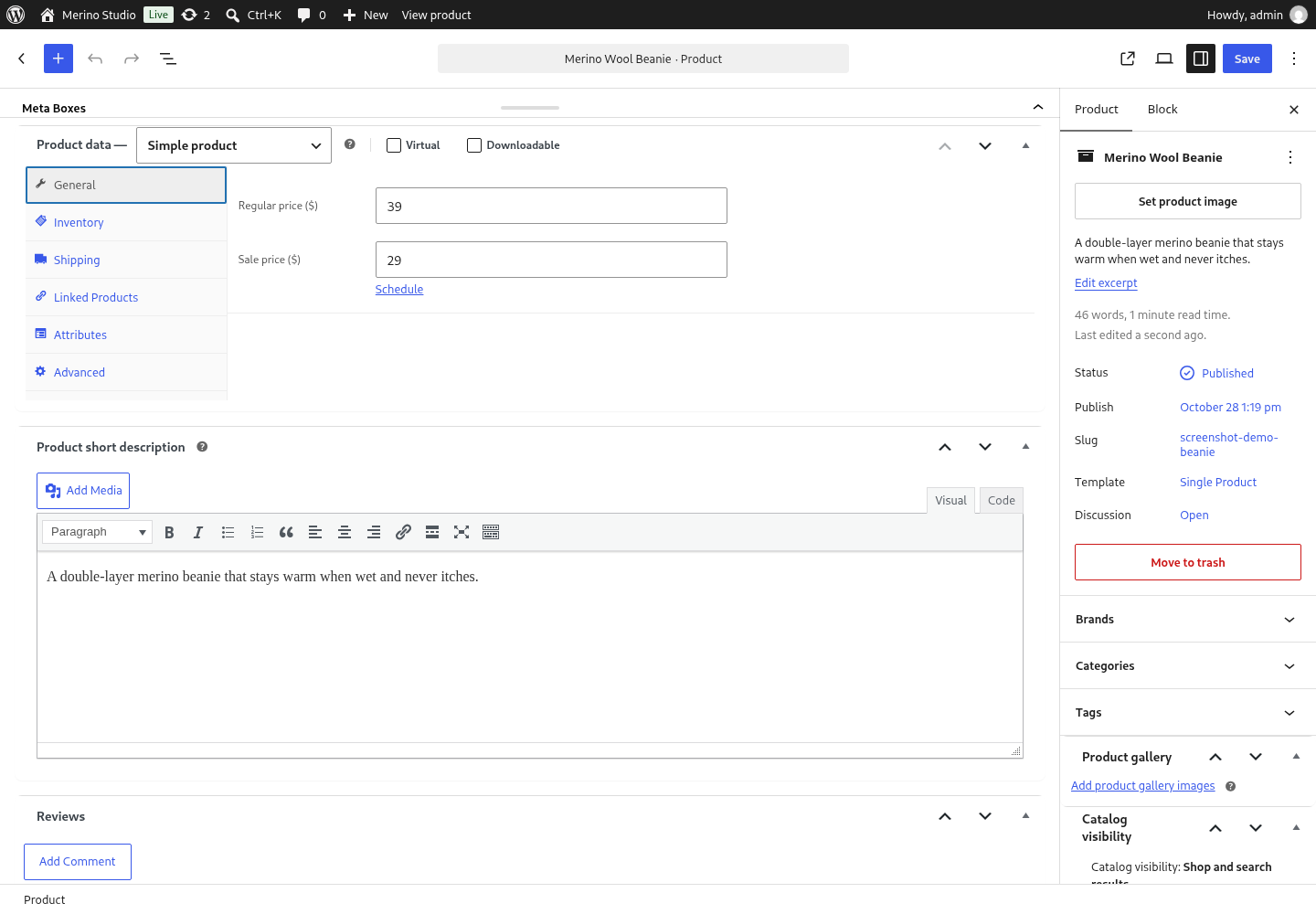
Gutenberg WooCommerce Product Editor plugin enables the modern WordPress Gutenberg Editor for all WooCommerce products. Boost your income by improving your WooCommerce store operators productivity with dozens of free and professional Gutenberg Blocks.
Or just install the free Blocks Product Editor for WooCommerce plugin first, and then purchase the Professional or Business plan subscription directly from plugin settings menu.
Gutenberg’s all-encompassing goal is a post- and page-building experience that makes it easy to create rich layouts. The block editor was the first product launched following this methodology for working with content.
The default WooCommerce product editor still using the classic WordPress editor for product descriptions instead of the modern Gutenberg Blocks editor introduced in recent WordPress versions.
Blocks allow you to build your own custom posts and pages without any coding knowledge.
Ironically, there is even a native WooCommerce Blocks plugin to add WooCommerce specific blocks to WordPress pages, but no way to add Gutenberg blocks to the core WooCommerce entity’s description – the product description.
Unless you are happy with simple tools like lists, bold, italic etc. you’ll desire for more. Here is where this plugin comes to activate all incredible new editor features for your product description editor.
The editor without the Gutenberg activated. Good old but doesn’t reach enough for current days expectations.
Beautiful content doesn’t have to be designed from scratch. With collections of pre-arranged blocks you can make your content impactful, meaningful and appealing.
Features
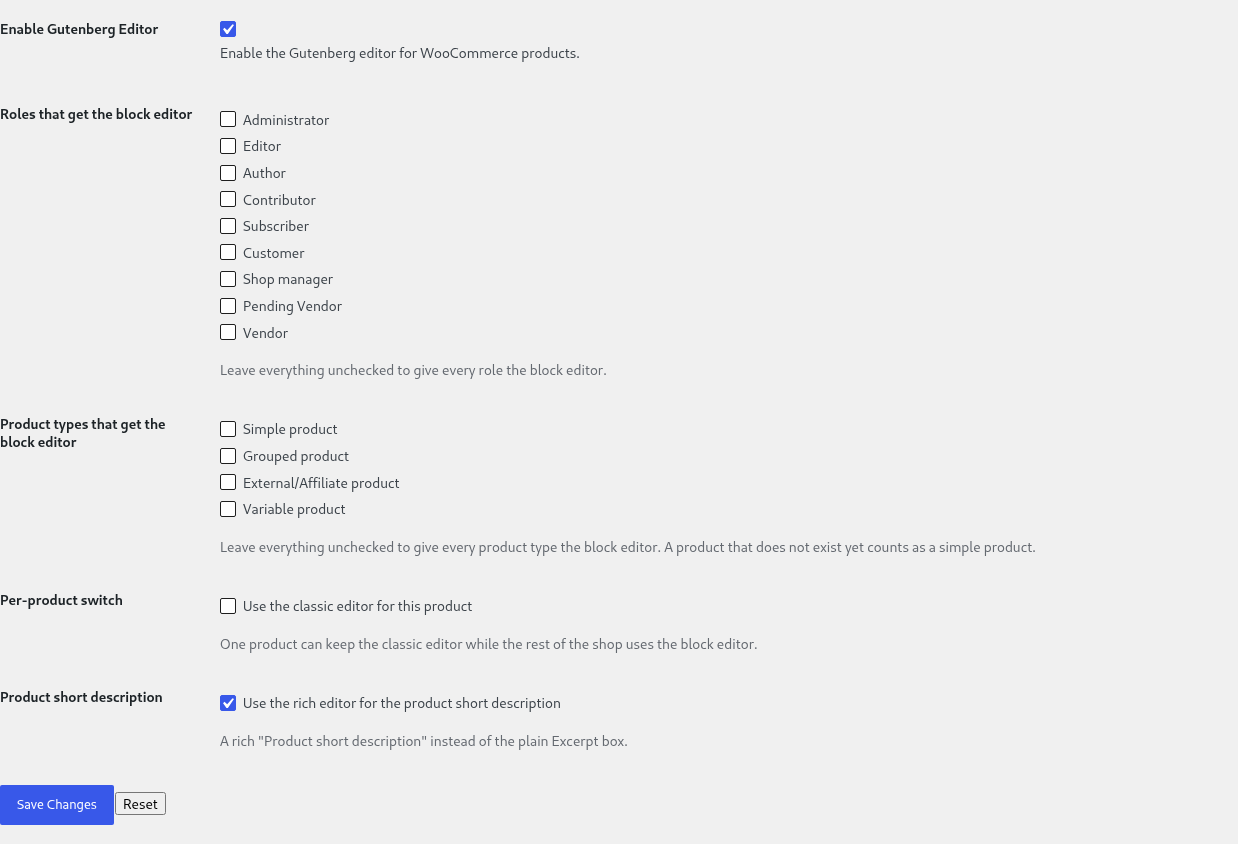
- Enable or disable the block editor for WooCommerce products, with one switch
- WooCommerce’s own Variations tab is kept wherever it is still needed – and when another plugin forces the classic screen, the screen says so, by name
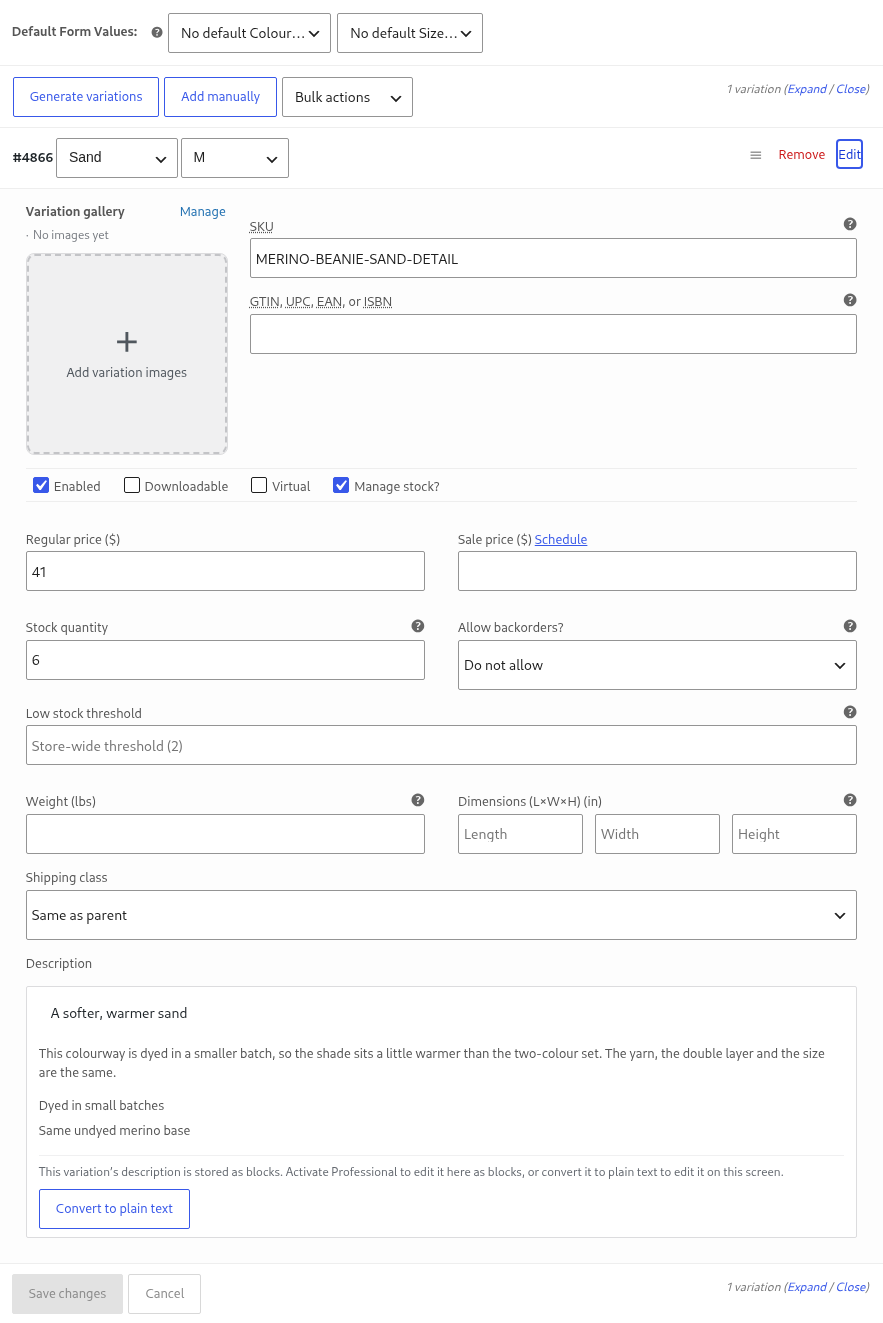
- An integrity guard for the variation description: a vendor screen, an import or another plugin that cannot edit blocks can no longer silently replace a description written with blocks. The refused value is kept for review, and the admin is told which variation was affected
- For such a description the classic variations screen shows a readable preview and an explanation instead of a textarea that would display markup and destroy it on save
- A way out of blocks, always: a variation description written with blocks can be turned into plain text from the classic screen, with one click and a warning that the formatting goes – nothing is ever locked inside the panel
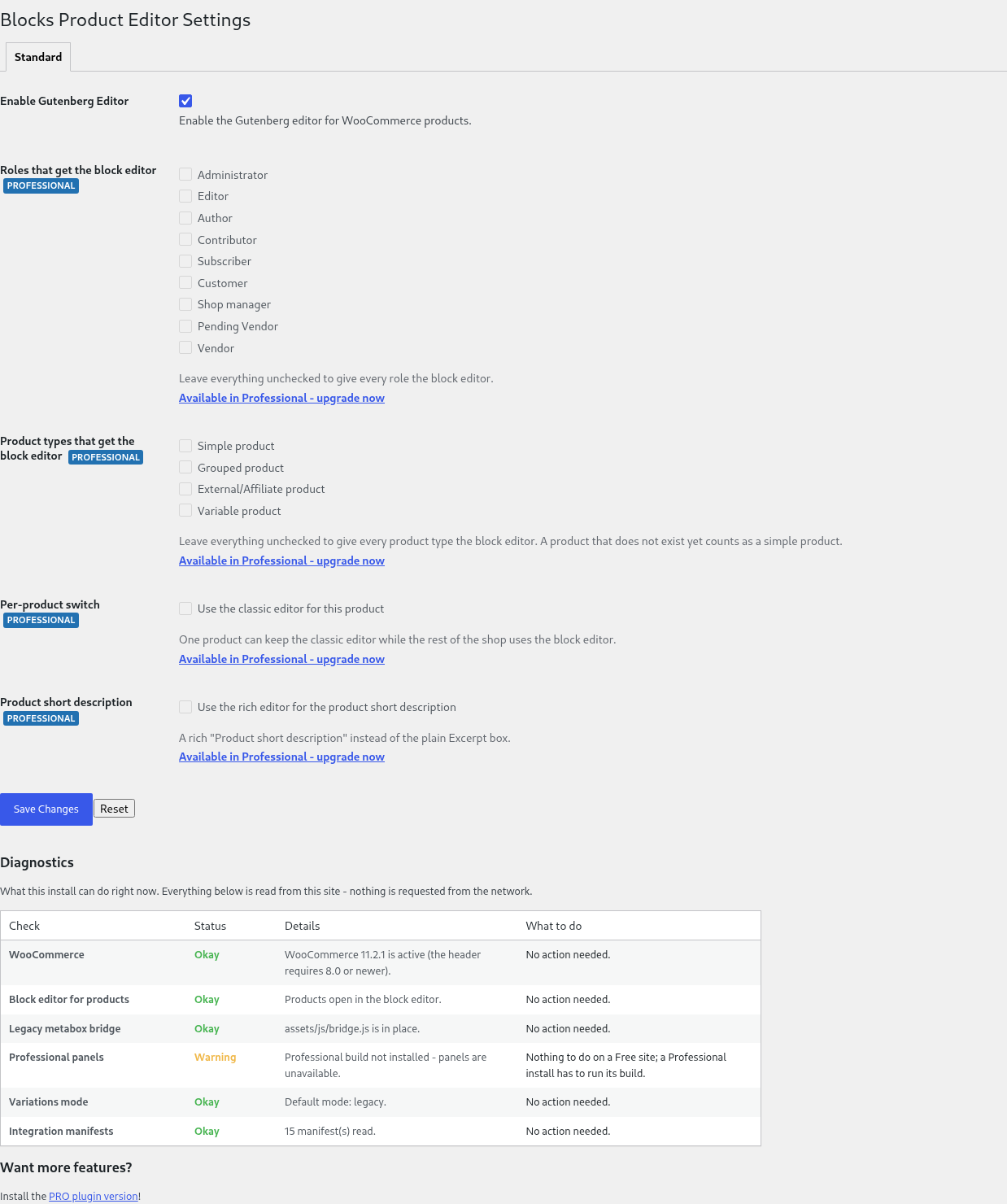
- A diagnostics report on the settings page – WooCommerce and its version, the block editor, the product metadata boxes, the Professional bundle, the variations mode and the measured plugins, each with a status, an explanation and what to do next
- wp bpe status, wp bpe enable and wp bpe disable from the console – the way out when the product screen itself is what broke – and wp bpe integrations, which lists every measured plugin with its state and the reason for it
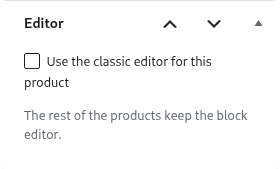
- A way out for a single product: the product screen carries a switch that sends one product back to the classic editor, so the rest of the shop keeps the block editor
Version 1.6.0 is the current release. The Free build keeps WooCommerce‘s own variations tab wherever it is still needed and never lets a description written with blocks be lost; the Professional build turns the same data into one screen.
Professional features
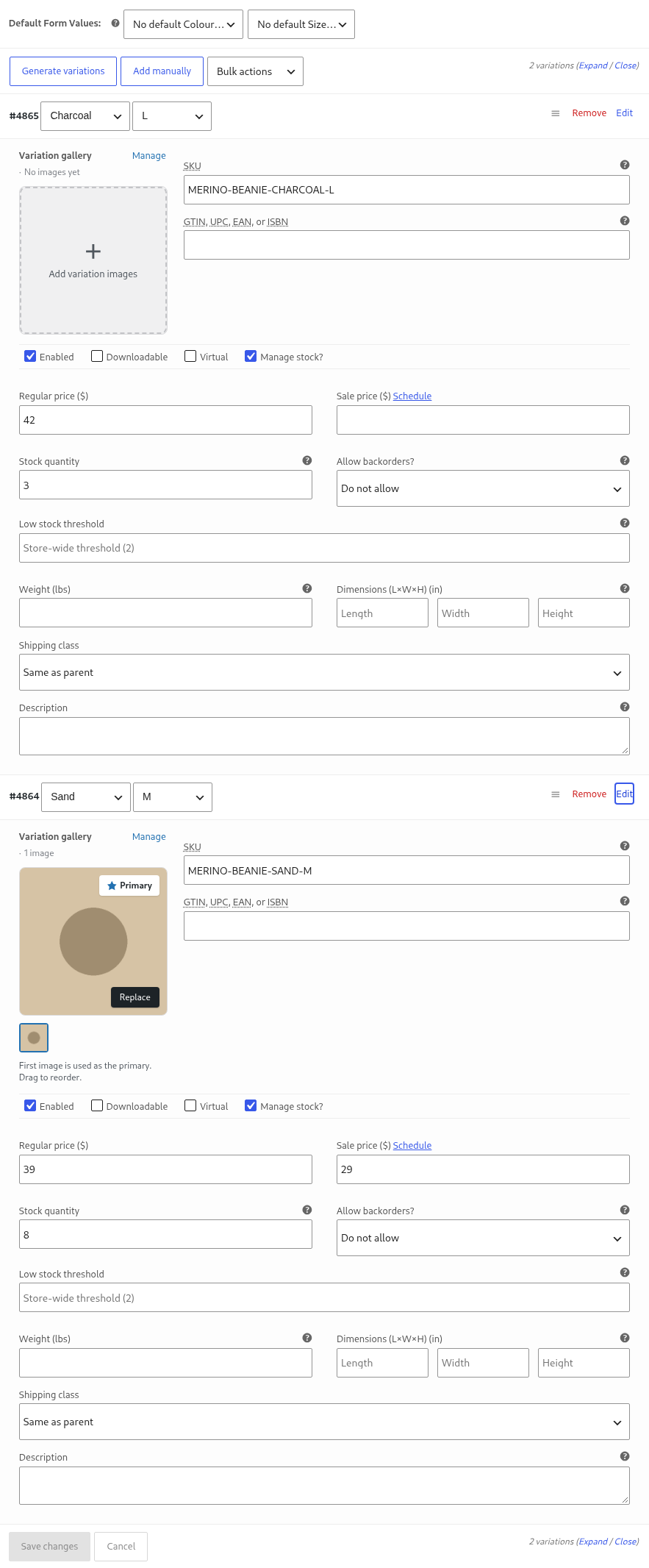
- A variations table: attributes, SKU, prices, stock, gallery images and bulk editing, saved through WooCommerce’s own variation request – so fields added by other plugins keep travelling with the row
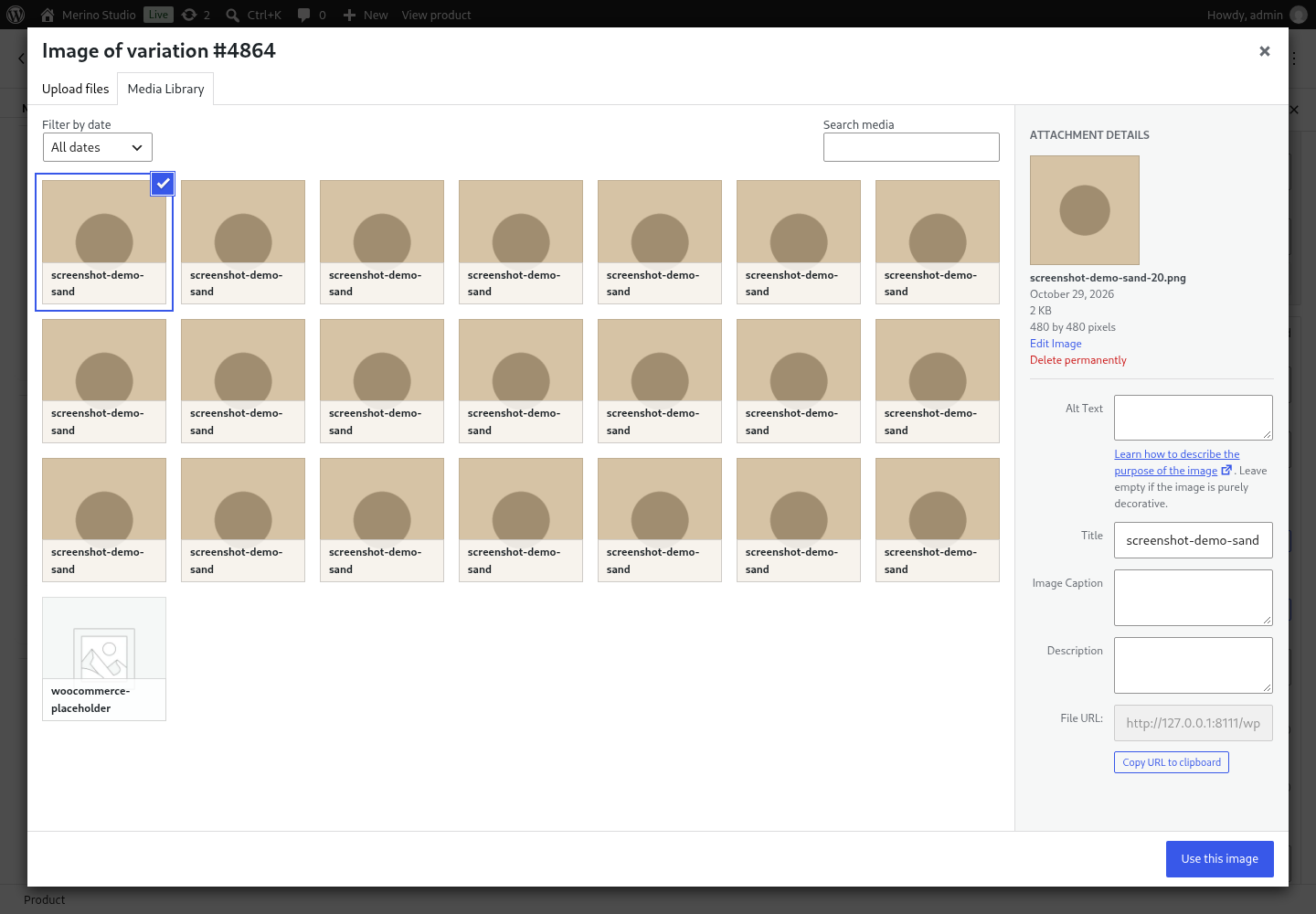
- A gallery for every variation: add, reorder and remove the images of a single variation
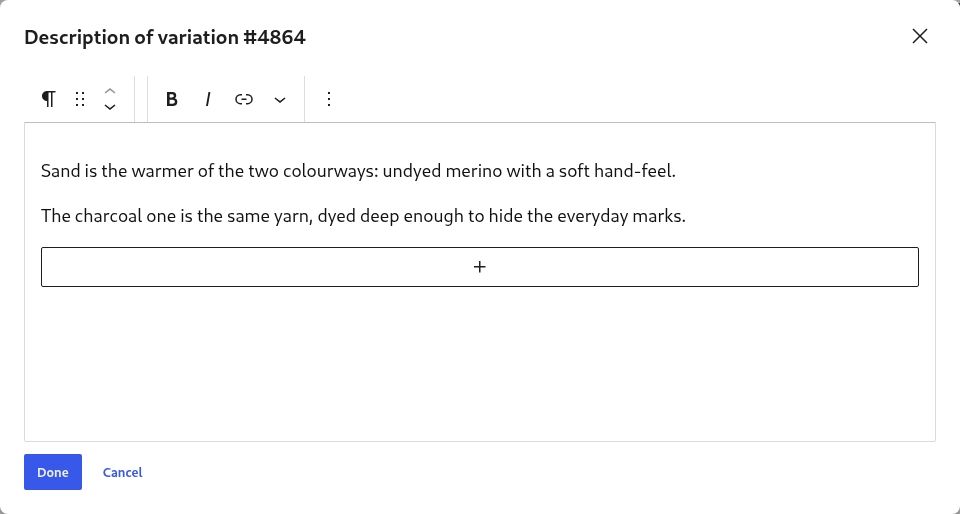
- A block editor for the variation description, in a modal window, with a preview in the row
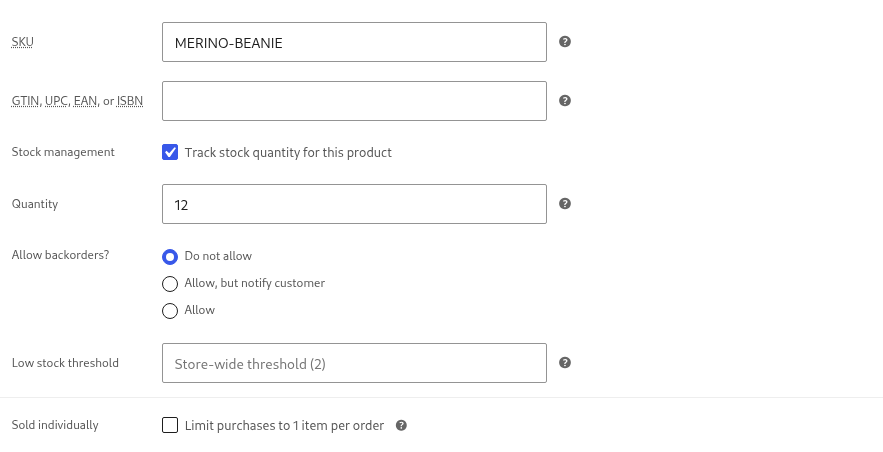
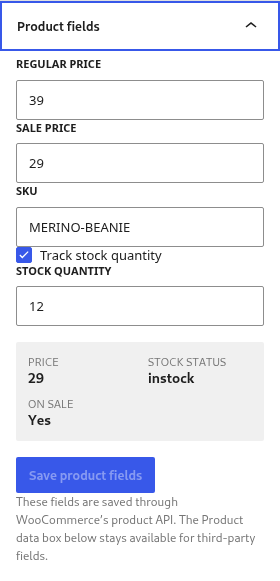
- A product fields panel in the editor sidebar – price, sale price, SKU, stock, dimensions and relations – that respects the shop’s decimal separator
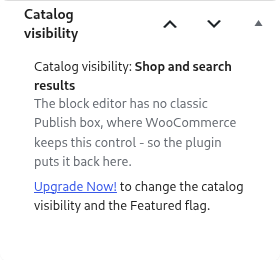
- The Catalog visibility box, so the “Catalog visibility” and “Featured” product settings are available next to the other product data instead of only in the sidebar
- Restricting the block editor to selected user roles, so e.g. shop managers can keep the classic editor
- Restricting the block editor to selected product types, so e.g. only simple products are edited in blocks
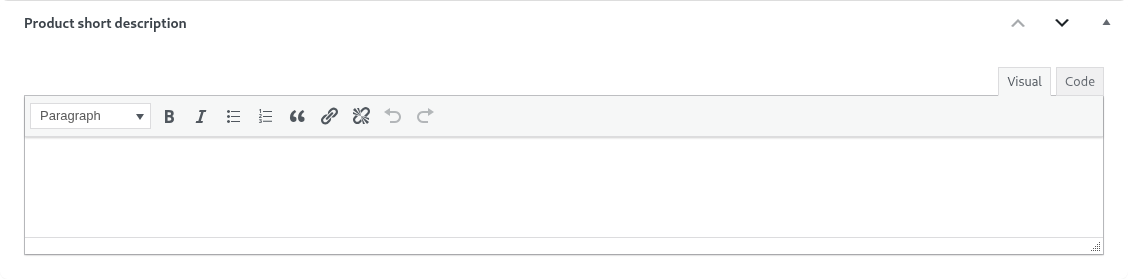
- The rich “Product short description” box – the short description gets the full WordPress editor instead of a plain textarea
What is new in 1.6.0
- New: the per-product switch is now free for everyone – one product can go back to the classic editor while the rest of the shop keeps the block editor. It is not sold on purpose: the way out of a screen that broke on a single product is not something a shop should have to buy a licence for.
- Note: the “Per-product switch” row on the settings page was removed. It never did anything – nothing read it and nothing saved it – so there is no global setting for this switch to turn on or off.
Screenshots




Installation – Gutenberg WooCommerce Product Editor Plugin
Install and activate it as you would any other plugin.
l10n
This Gutenberg WooCommerce Product Editor plugin is localization ready.
Localization for all major languages is done. Your local or globally distributed WooCommerce store operators will be happy to work with this plugin.
Languages this plugin is available now:
- English
- Arabic (عرب)
- Czech (čeština)
- Danish (Dansk)
- German (Deutsche)
- Greek (Ελληνικά)
- Spanish (Español)
- Persian (فارسی)
- French (Français)
- Hebrew (עִברִית)
- Hindi (हिन्दी)
- Indonesian (Bahasa Indonesia)
- Italian (Italiano)
- Japanese (日本)
- Korean (한국인)
- Malay (Melayu)
- Norwegian (Norsk)
- Netherlandish (Nederlands)
- Polish (Polski)
- Portuguese (Português)
- Russian (Русский)
- Slovak (Slovenský)
- Finnish (Suomalainen)
- Swedish (Svenska)
- Thai (ไทย)
- Philippine (Pilipinas)
- Turkish (Türk)
- Vietnamese (Tiếng Việt)
- Chinese (中国人)
Feel free to translate this plugin to your language.





Reviews
There are no reviews yet.